Create Stunning Photo Slideshows with Ease

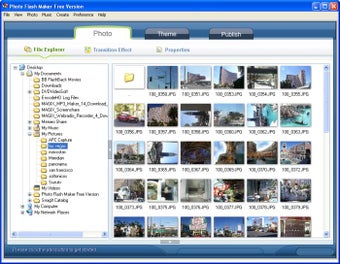
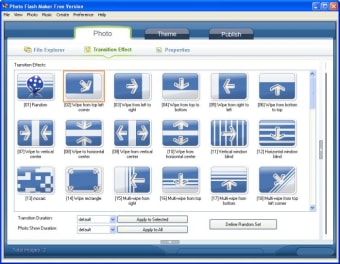
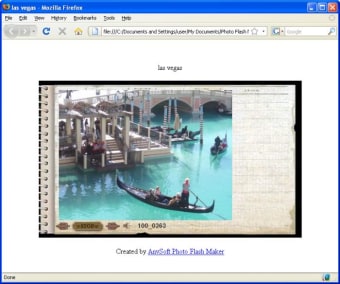
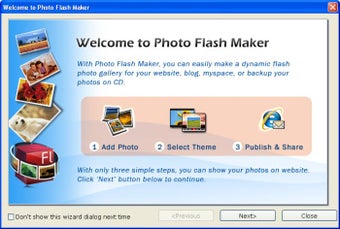
Photo Flash Maker is a free multimedia application designed for Windows that enables users to create impressive photo slideshows. With its user-friendly interface, the program allows individuals to import images easily and arrange them in a sequence. Users can enhance their presentations with various transition effects and audio tracks, making it suitable for personal projects, events, or professional showcases.

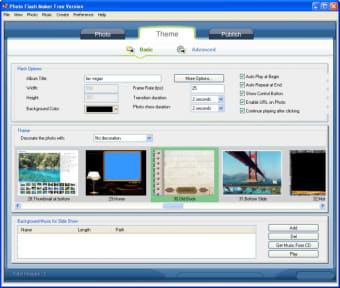
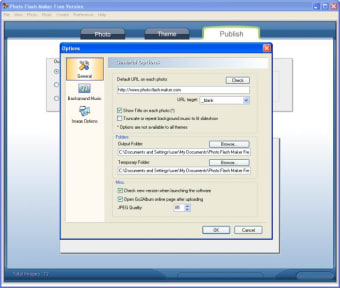
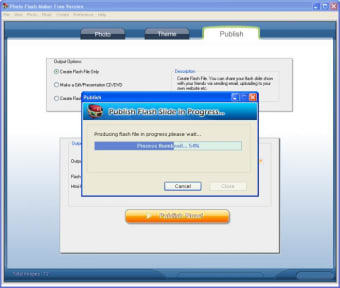
The software supports multiple output formats, ensuring that users can share their creations across different platforms. Additionally, Photo Flash Maker offers customization options, allowing users to tailor their slideshows with captions and themes. Overall, this program is an excellent tool for anyone looking to transform their photos into engaging visual stories.

 0/7

App specs

  • License

    Free

  • Version

    5.57
  • Latest update

  • Platform

    Windows

  • OS

    Windows Vista

  • Language

    English

    Available languages

    • German
    • English
    • Spanish
    • French
    • Italian
    • Japanese
    • Portuguese
    • Chinese
  • Downloads

    40.9K

    Last month's downloads

    • 4
  • Size

    38.01 MB

  • Developer

Program available in other languages


User reviews about Photo Flash Maker

3.1

4 reviews

Add review

Main reviews for you

  • Anonymous user

    Like Free Slideshow Maker any way. nice one, i prefer free slideshow maker any way(also free in this site: http://free-slideshow-maker... and it is a finctional tool compared with this app. support video & photo & songs input...

  • Anonymous user

    Like Free Slideshow Maker any way. nice one, i prefer free slideshow maker any way(also free in this site: http://free-slideshow-maker... and it is a finctional tool compared with this app. support video & photo & songs input...

  • Anonymous user

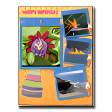
    Show your photos in a slideshow way. I used the free version to make a flash and like it, so bought it the next day. I like it very much till now, it's easy to use, and do not need to learn how to use it before using it, Just need open it, and click the bottoms. It offers me a website to upload it, I just need to give my friends the website if my friends wants to watch my slideshow. Terrific! Pros: Comprehensive clear user interfaceThree steps to create a slideshow:1-2-3Many transitions for choosingDifferent nice themes

  • Anonymous user

    Make Flash Banners for building website as well as making common slideshow. Photo Flash Maker Freeware is so far the most easy-to-use slideshow maker program I've tried. It provides the normal functions of other slideshow makers, like slideshow templates, transition effect, etc. The most impressing function of it for me is that it automatically generates the code for embedding the slideshow into website. I've made a fantastic flash banner with it, which is also why I used it. Pros: Automatically generate code for embedding the slideshow into website;Enables to edit photos: add text, clipart, crop and filter effect, etc.Easy to use;FREE. Cons: Maybe it is for its platinum version, this free program does not provide many slideshow theme/templates, while Photo Flash Maker Platinum provides a lot.

More

You may also like

Alternatives to Photo Flash Maker

Explore Apps

Latest articles

Laws concerning the use of this software vary from country to country. We do not encourage or condone the use of this program if it is in violation of these laws.
Softonic

Is Photo Flash Maker safe?

Score result: Clean

This file passed a comprehensive security scan using VirusTotal technology. It is safe to download.

  • Virus free
  • Spyware free
  • Malware free
  • Verified by Security Partners

    VirusTotal logo

Scan Info

Last scan
Wednesday, December 2, 2020
Scan provider
VirusTotal

Softonic security commitment

Photo Flash Maker has been thoroughly scanned by our advanced security systems and verified by industry-leading partners. This file comes from the official developer and has passed all our security checks, showing no signs of viruses, malware, or spyware. For more information, visit our Security and Trust Center